General Information: General Information:
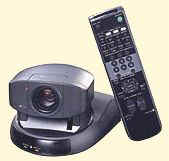
The URL below will allow you to control one or more Sony EVI-D30
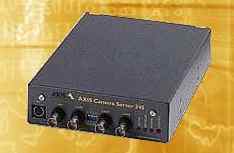
Pan/Tilt/Zoom cameras using an AXIS 240 Video Server.
|
Control Functions:
THE MOST IMPORTANT THING TO REMEMBER WHEN YOU ARE ON THE CAMERA PAGE
IS TO CLICK "LIVE IMAGES"
ABOVE THE IMAGE WHERE IT SAYS " Live images OR Update images "
MOVING THE CAMERA :
Zoom – Adjusts the camera
lens from wide angle to telephoto. Click the Left or Right arrow to zoom incrementally or
click in the gray stepped area for the camera to zoom to the step you clicked. This is
called "Smooth Zoom."
Tilt – Moves the camera up
and down. Click the Up or Down arrow to tilt incrementally or click in the gray graduated
area for the camera to tilt to where you clicked. This is called "Smooth Tilt."
Pan – Moves the camera left
and right. Click the Left or Right arrow to pan incrementally or click in the gray
graduated area for the camera to pan to where you clicked. This is called "Smooth
Pan."
H – Moves the
camera to the "Home" position.
Select preset position
– Lets you pick one of the preset camera positions that I have set.
Clicking on the picture – Click an area in the picture and
the video server will try to center that area in the frame.
|
System Speed:
As with any site on the Internet, speed is determined by many
factors such as the quality of your ISP, the bandwidth usage, type of Internet connection
you have, etc. If you have a broadband Internet connection such as ISDN, DSL or Cable
you'll have the best results. Dial-up connections are slow, there's just no way to get a
high quality smooth video stream over a dial-up connection.
Even with a broadband connection you most likely won't see an instant response when you
click one of the controls. It takes time to get your input to the video server, move the
camera and send the result back to you. Be patient, it
eventually will get back to you.
|
|
|
Entering the System:
|
Enjoy your visit.
Comments & Suggestions -> mike@stampday.com
|